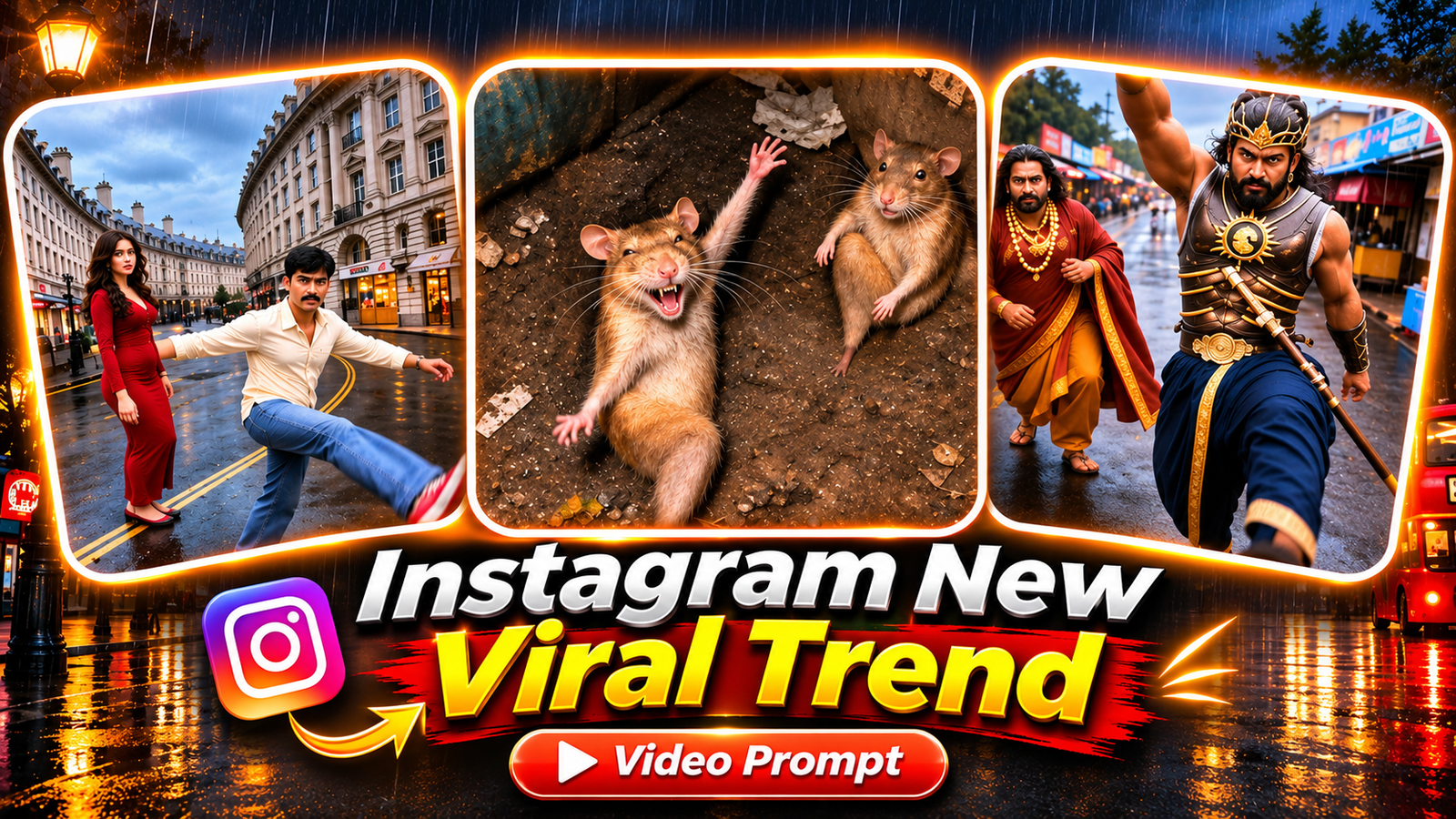
The Instagram New Viral Trend is taking Instagram by storm! 🔥 This hilarious AI-powered dance trend features two friends walking toward a low-angle camera on a rainy London street before suddenly bursting into crazy, unexpected dance moves—from high kicks straight at the camera and wild jumps to funny crouching moves and over-the-top expressions.
Creators are putting their own spin on this trend using everything from dancing rats and legendary movie warriors to animated characters. But the real fun begins when you recreate it using your own face or a photo of your best friend!
In this post, you’ll get the tested Google Flow AI video prompt, reference video, and trending music to help you recreate the same viral dance effect for free. No professional editing skills required—just your creativity and a little AI magic! 🚀
Watch the Instagram New Viral Trend Reference Video 🔥
Watch the viral trend reference video below to see how the dance moves and effects work. Then, click the button below to download the video without sound and the original music so you can recreate this trending AI video yourself!
Tap the button below to download the muted reference video.
Instagram New Viral Trend Prompt (Free) 🔥
Want to recreate the Instagram New Viral Trend with your own face? Simply copy the AI video prompt below and paste it into Google Flow to create your own version!
We’ve tested this prompt multiple times to help match the dance moves, timing, and camera angles of the original reference video while replacing the dancers with you and your friend.
Before Using the Prompt, Follow These 5 Important Steps
- Download the Muted Reference Video: Download the folder provided above and upload only the video without sound to Google Flow. Uploading the version with audio may cause an error.
- Prepare Two Clear Photos: Choose one high-quality photo of yourself and another of your friend. Make sure both faces are clearly visible, sharp, and well-lit. The trend works with both male and female characters.
- Upload Photos in the Correct Order: The image order matters! @image1 represents the person on the LEFT, while @image2 represents the person on the RIGHT side of the video.
- Use the Correct Google Flow Settings: Select Ingredients Mode, set the aspect ratio to 9:16, choose 720p resolution, and generate 1 output. If you encounter an audio-related error, enable “Return silent video” in Settings, if available.
- Add the Trending Music: Once your AI video is generated, open CapCut or VN Video Editor and add the music file included in the downloaded folder.
🎬 That’s it! Your own version of the Instagram New Viral Trend is ready to share on Instagram Reels, TikTok, or YouTube Shorts.
Pro Tip: Use clear, front-facing photos and keep the original reference video’s timing for a more natural-looking result. AI-generated movements may vary slightly between generations.
{Use @video1 as the exact reference for all actions, dance moves, gestures, facial expressions, interactions, timing, camera angles, framing, transitions, and movements. Recreate the original video as closely as possible, changing only the appearance of the two main characters.
Character Replacement and Identity Consistency
Replace the person who starts on the LEFT side of @video1 with @image1 and the person who starts on the RIGHT side with @image2.

Preserve each character’s original appearance exactly as shown in their uploaded photo, including facial identity, hairstyle, skin tone, age, gender, body proportions, clothing colors, and distinctive features.

STRICT CLOTHING RULE:

Both characters must wear only the outfits shown in their respective reference photos.

@image1 must wear the exact clothing from @image1.
@image2 must wear the exact clothing from @image2.
Maintain the same garment style, colors, fabric, and fit throughout the video.
Never copy clothing from @video1, including the red dress, cream shirt, light blue jeans, or pink-and-white sneakers, unless those items appear in the uploaded character photos.
If a reference image shows only the upper body, naturally extend the same clothing style to create a consistent full-body outfit.

IMPORTANT: @image1 and @image2 must remain recognizable in every frame, including during fast movements, high kicks, crouching, hair flips, and close-up shots.

Never replace their faces with the original actors from @video1. Never swap or blend the characters’ identities.
Exact Dance Sequence and Timing
Follow the reference video’s choreography precisely. Every action must match the original timing, speed, intensity, and movement.

0.0–0.7 seconds: Both characters walk naturally toward the low-positioned camera along the wet London street.

0.7–1.3 seconds: @image2 performs a powerful, exaggerated high kick, extending one leg directly toward the camera lens before landing naturally.

1.3–2.2 seconds: Both characters resume walking forward calmly, matching the original rhythm and body movements.

2.2–2.8 seconds: @image1 suddenly bursts into an energetic dance move, throwing one arm high into the air while kicking one leg toward the camera. Hair and clothing move naturally with the sudden motion.

2.8–3.6 seconds: @image1 recovers from the kick and continues dancing forward with the same energetic movements shown in @video1.

3.7–4.6 seconds: @image2 steps forward, drops into a deep crouch, spreads both arms outward, and leans dramatically toward the camera.

4.6–6.0 seconds: Both characters continue walking forward. @image1 moves closer to the camera, following the original positioning.

6.0–6.8 seconds: @image1 suddenly rushes toward the lens, extends one arm toward the camera, and performs a dramatic head toss with natural hair movement.

6.8–7.5 seconds: @image1 turns away from the camera, and both characters begin walking backward along the street.

7.5–9.0 seconds: @image2 approaches the camera and performs an exaggerated, low, wide-stance crouching dance, bending forward while throwing both arms outward.

9.0–10.0 seconds: @image2 moves backward while @image1 walks toward the lens, extending one arm forward to finish the sequence exactly as shown in the reference.
Camera, Environment, and Visual Style
Preserve the complete environment and cinematography from @video1:

Original curved London street and surrounding architecture.
Wet pavement with realistic reflections.
Same lighting, atmosphere, and background details.
Low-angle, wide-lens camera perspective.
Natural handheld camera movements and subtle shakes.
Identical framing, camera distance, and movement timing.
The camera operator’s hand must appear at the bottom of the frame at exactly the same moments as in @video1.
Maintain realistic body physics, natural clothing movement, and believable character motion.
Preserve the original 10-second duration and 9:16 vertical aspect ratio.

Do not change the background, scenery, camera perspective, choreography, or sequence of actions.
Audio Instructions
@video1 is silent. Generate a completely silent video.

No dialogue, no voice-over, no background music, and no sound effects.
Strict Negative Instructions
Do not generate:

Original characters or faces from @video1.
Clothing copied from the reference video.
Character identity swaps or blended facial features.
Changes to either person’s age, gender, or appearance.
Characters switching positions or roles.
Facial distortion, body deformation, or extra limbs.
Missing, reduced, slowed, or simplified dance movements.
Ordinary walking in place of the required exaggerated choreography.
Incorrect action timing or altered choreography.
Unnatural motion, flickering, or inconsistent characters.
Additional people, objects, locations, or scenes.
Text, subtitles, captions, logos, or watermarks.
Music, speech, or other audio.

Final Priority Instructions
@video1 controls the choreography, camera, environment, and timing.

@image1 controls the LEFT character’s identity and outfit.

@image2 controls the RIGHT character’s identity and outfit.

Reproduce the exact viral dance sequence with the same energy, speed, exaggerated gestures, and comedic timing.

The final result must look like the original reference video was filmed with the two people from the uploaded photos instead of the original actors.

Character identity must remain consistent from the first frame to the last frame. Change only the two characters’ appearances. Everything else must match @video1.}
Tips to Create the Best Instagram New Viral Trend Video 🔥
- Choose Clear, High-Quality Photos: Use sharp, front-facing photos with good lighting and clearly visible facial features. Blurry or side-angle images may cause AI to generate faces that look different from the originals.
- Wear the Outfit You Want in Your Video: Google Flow uses the clothing shown in your uploaded photos, not the reference video. Make sure your photos feature the outfit, colors, and style you want to appear in your final AI dance video.
- Generate Multiple Versions for Better Results: Try generating your video 2–3 times and select the best result. AI-generated videos can vary slightly with each attempt, so multiple generations can help you achieve more accurate dance moves and facial consistency.
- Don’t Shorten or Skip the AI Prompt: Every action and timing instruction plays an important role in recreating the original viral dance. Removing or simplifying these instructions may result in missing movements, weaker choreography, or incorrect timing.

The content on CoolEdits is written by a passionate creator M Naveed with hands‑on experience in photo editing, AI prompt engineering, and social media trends. With a strong focus on practical results, the author regularly tests tools, analyzes trends, and shares techniques that actually work for modern content creators.