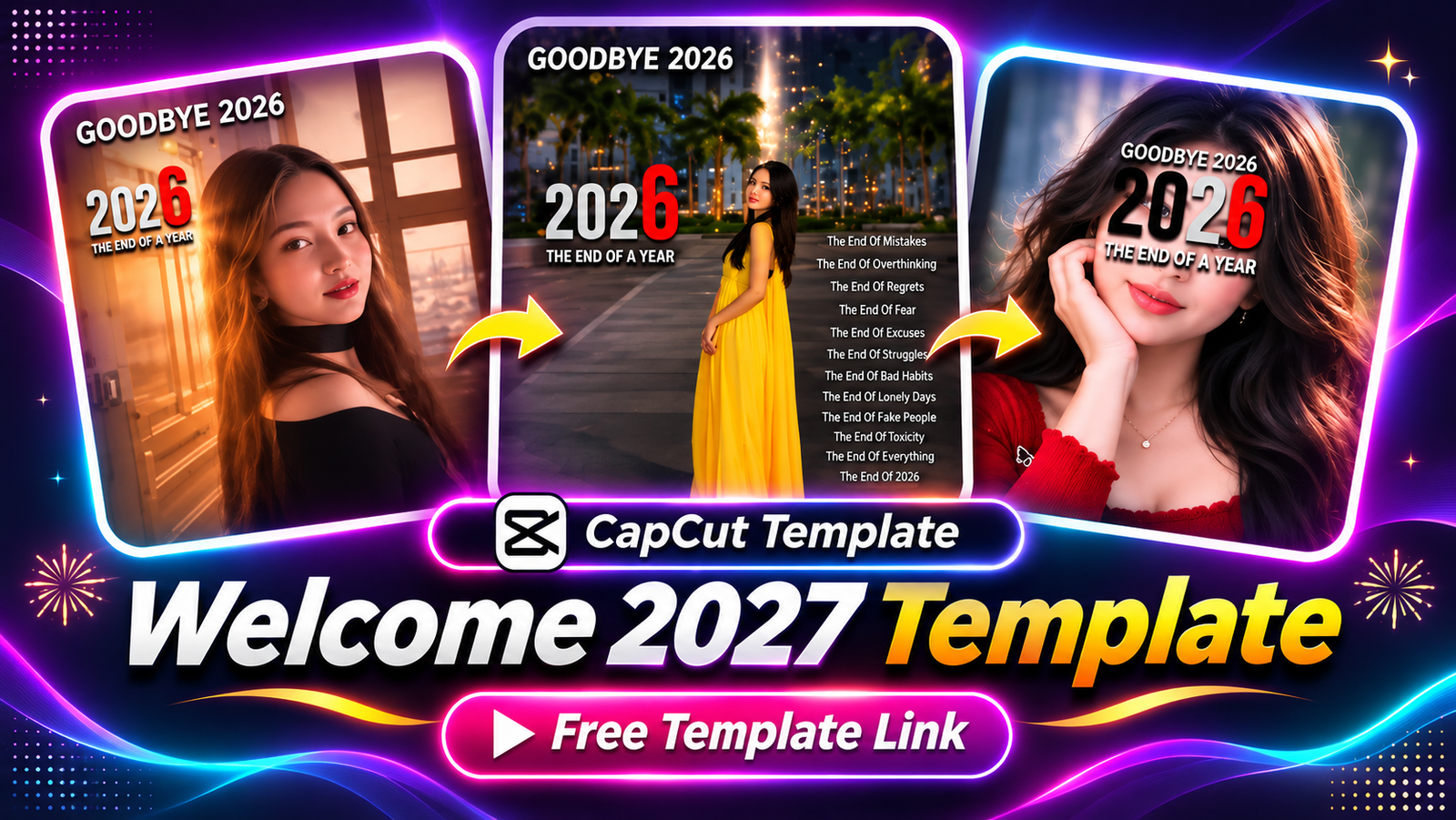
Ready to say goodbye to 2026 and welcome 2027 in style? The Welcome 2027 Template is a trending New Year CapCut template designed to turn your ordinary photos into stunning, cinematic Instagram Reels.
This template features a smooth year-changing animation where “2026” gradually transforms into “2027,” accompanied by stylish “Goodbye,” “Welcome,” and “A New Beginning” text effects. The aesthetic combination of red, black, and white typography gives your video a premium and eye-catching look.
The best part? You can create this beautiful New Year video in less than a minute! Simply add your favorite photo or video clip, and CapCut automatically applies the animations, text effects, transitions, and background music.
No complicated editing, no professional skills required. Whether you want to celebrate new beginnings, share your memories, or join the latest Instagram Reels trend, this Welcome 2027 Goodbye 2026 CapCut Template is a perfect way to start the New Year with a stylish video.
Welcome 2027 CapCut Template – Version 1 (Free Link)
Preview the video to see the template in action. If you like the effect, simply tap the Use Template in CapCut button below to start creating your own stunning video.
Welcome 2027 CapCut Template – Version 2 (Free Link)
Welcome 2027 CapCut Template – Version 3 (Free Link)
Welcome 2027 CapCut Template – Version 4 (Free Link)
Welcome 2027 CapCut Template – Version 5 (Free Link)
Welcome 2027 CapCut Template – Version 6 (Free Link)
Why Is the Welcome 2027 Template Going Viral?
The Welcome 2027 CapCut Template combines emotional storytelling, aesthetic visuals, and smooth year-changing animations to create the perfect New Year Reel. The transition from “Goodbye 2026” to “Welcome 2027” captures the feeling of leaving old memories behind and embracing a fresh beginning.
What makes this template even more appealing is its versatility. Whether you use a stylish selfie, a romantic couple photo, a travel memory, or a beautiful landscape, the minimal typography gives your video a cinematic and premium look.
Posting your Welcome 2027 video before December 31 can help you join the New Year trend early and potentially attract more views, likes, and shares on Instagram and TikTok.
Tips to Make Your Welcome 2027 Video Stand Out
For the best results, choose a high-quality photo with enough space around your face to prevent the animated year text from covering important facial features.
Photos with soft lighting, dark backgrounds, or neutral colours work especially well with the red, black, and white text effects. You can also experiment with sunset pictures, misty forests, or cinematic landscapes for a more emotional and aesthetic look.
Finally, add a meaningful New Year caption, relevant hashtags, and trending audio to make your Goodbye 2026 Welcome 2027 video more engaging and shareable.

The content on CoolEdits is written by a passionate creator M Naveed with hands‑on experience in photo editing, AI prompt engineering, and social media trends. With a strong focus on practical results, the author regularly tests tools, analyzes trends, and shares techniques that actually work for modern content creators.